How Ramus works
Ramus runs Android apps on emulators in the cloud. Your coding agent drives them over MCP or the CLI, you use them in the browser, and anyone you send a link to can open the running app without an account. Start with the Quickstart.
Ramus builds the APK
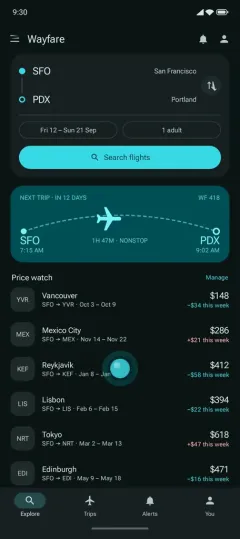 Ramus emulator
Give your agent a device
Connect Claude Code, Codex, Cursor, ChatGPT or another MCP client, and sign in with your Ramus account. Your agent starts a device, installs your build, reads the screen, taps through a flow and checks the result, while you watch from a link. See Connect an agent and the Ramus CLI, or Android devices for coding agents.
Share a running app
Upload an APK, then send a link. Each person who opens it gets the real app on their own device in their browser, or joins the device you are on, and can send you a note with a screenshot, the device log and their taps. See Share a running app, or share your app.
Review pull requests
Install the Ramus GitHub App and enable automatic previews for a repository. Ramus then builds supported same-repository pull requests, including the ones your agent opens, and keeps one status comment updated with progress and a preview link. Fork pull requests are not built. See Builds, or PR previews.
Work on your own machine
The adb tunnel and ramus dev connect a Ramus emulator to your local tools, with
Fast Refresh or hot reload. See Local development. To test
a build by hand, see Test an APK online.
Each session is a fresh device that is discarded when it ends. Read Preview sessions for controls and lifecycle, and Security for access and data handling.